
Introduction
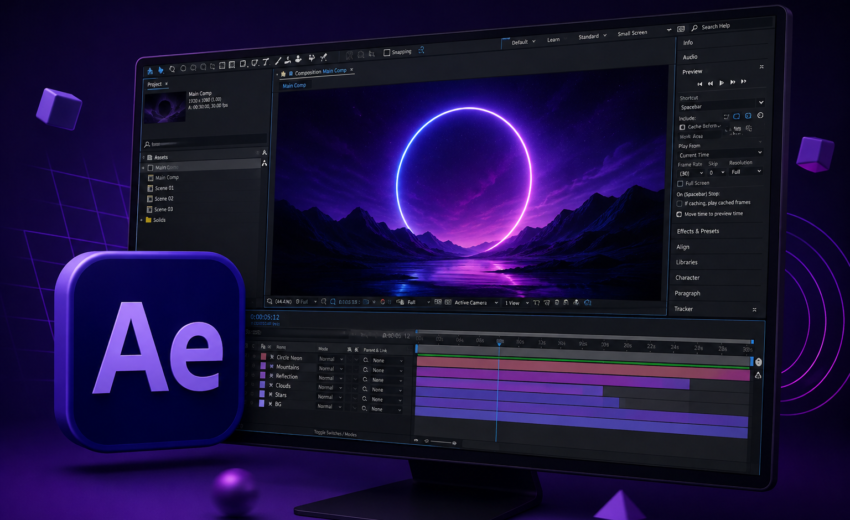
Adobe After Effects is one of the world’s most powerful motion graphics and visual effects software. Developed by Adobe, it is widely used by filmmakers, video editors, motion designers, YouTubers, advertising agencies, and digital creators to produce high-quality animations, cinematic visual effects, and engaging video content.
Unlike traditional video editing software, After Effects is designed specifically for creating animations, compositing, visual effects (VFX), motion graphics, and dynamic titles. It enables creators to transform ordinary footage into visually stunning productions using professional tools and advanced effects.
As part of Adobe Creative Cloud, After Effects integrates seamlessly with Premiere Pro, Photoshop, Illustrator, and other Adobe applications, allowing creators to build an efficient and professional post-production workflow.
What Is Adobe After Effects?
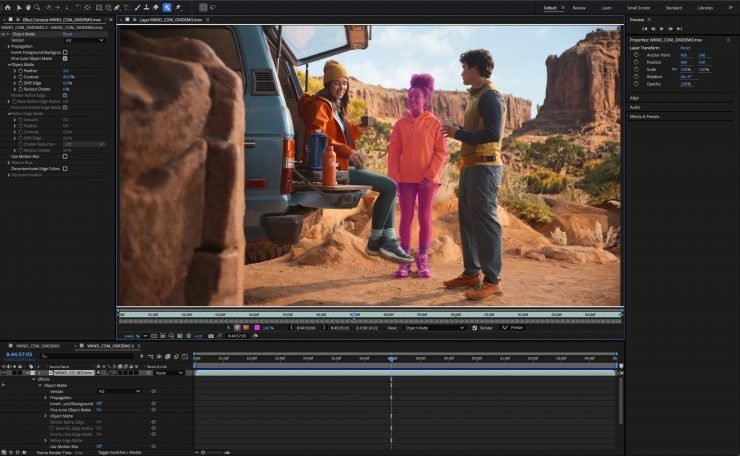
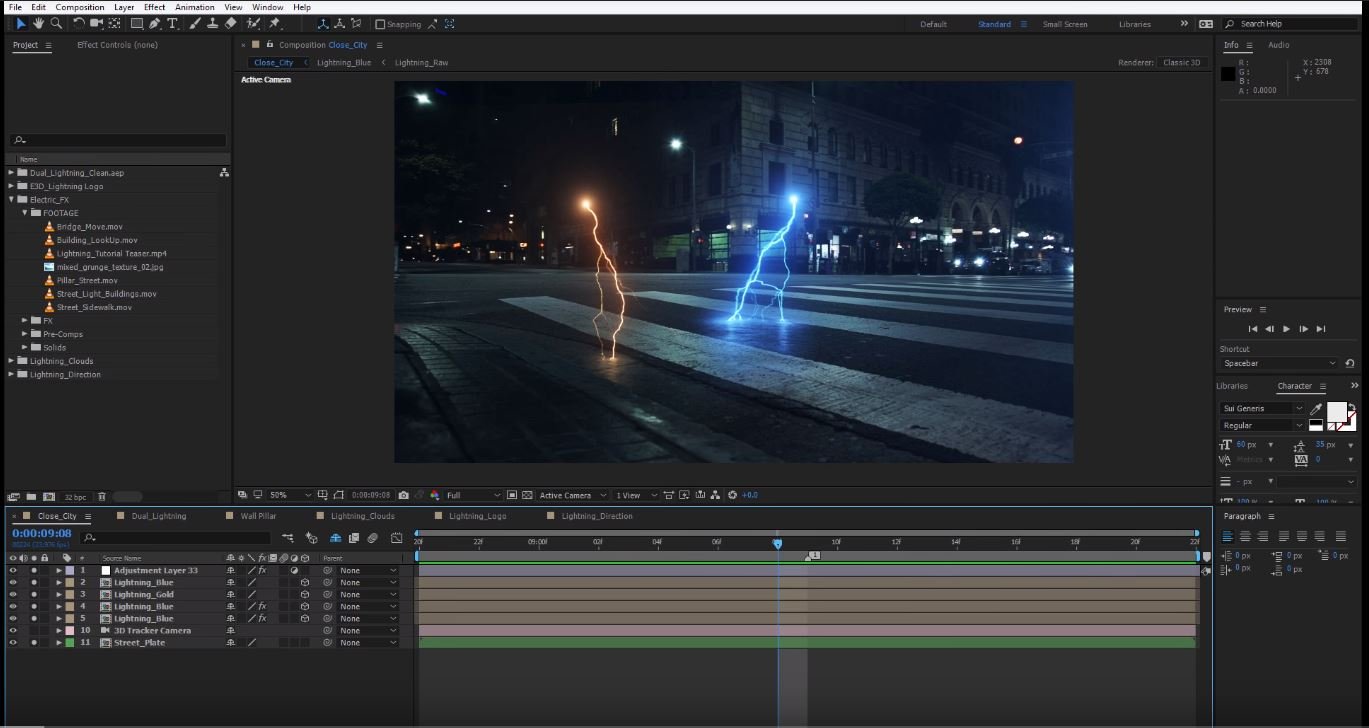
Adobe After Effects is a professional motion graphics, animation, and visual effects (VFX) application used during the post-production stage of video creation. It allows users to animate text, logos, graphics, images, and videos while adding cinematic effects that enhance the overall visual experience.
The software uses a layer-based workflow, giving creators precise control over every visual element in a composition. From simple logo animations to complex Hollywood-style visual effects, After Effects provides the flexibility needed for projects of every size.
Whether you’re designing animated social media content or producing advanced visual effects for films, After Effects offers the creative tools required to bring ideas to life.
What Is Adobe After Effects Used For?
Adobe After Effects is used for a wide variety of creative projects, including:
- Motion graphics design
- Visual effects (VFX)
- Logo animation
- Title animation
- Intro and outro creation
- Lower thirds and broadcast graphics
- Green screen compositing
- Object removal
- Motion tracking
- Rotoscoping
- Character animation
- Kinetic typography
- YouTube intros
- Social media animations
- Commercial advertisements
- Product promotions
- Explainer videos
- Music videos
- Film and television post-production
- Animated presentations
Its versatility makes it one of the most valuable tools for professional content creators and production teams.
Key Features of Adobe After Effects
After Effects offers an extensive collection of professional tools for animation and visual effects.
Motion Graphics
Create professional motion graphics using animated text, shapes, icons, and illustrations. These animations are commonly used in YouTube videos, commercials, presentations, and social media content.
Visual Effects (VFX)
Add cinematic visual effects such as explosions, lightning, particles, smoke, fire, lens flares, weather effects, and digital compositing to create dramatic and engaging scenes.
Advanced Animation
Animate nearly every property using keyframes, easing, graph editors, expressions, and advanced animation controls for smooth and professional results.
Motion Tracking
Track moving objects or camera movement, allowing graphics, text, or visual effects to follow subjects naturally within a scene.
Green Screen Compositing
Replace backgrounds using chroma key tools to create professional green screen effects for films, tutorials, interviews, and online content.
Rotoscoping
Isolate people or objects from video footage with precision, making it easier to create complex visual effects or replace backgrounds.
AI-Powered Features
Adobe continues to enhance After Effects with AI-powered tools that simplify masking, object selection, content-aware editing, and repetitive animation tasks, helping creators work more efficiently.
Extensive Plugin Support
Thousands of third-party plugins, presets, transitions, and templates are available, allowing users to expand the software’s capabilities and speed up their workflow.
Who Uses Adobe After Effects?
Adobe After Effects is trusted by creative professionals across multiple industries, including:
- Motion designers
- Visual effects artists
- YouTubers
- Video editors
- Filmmakers
- Advertising agencies
- Television broadcasters
- Digital marketers
- Social media creators
- Freelance designers
- Animation studios
- Corporate production teams
Its powerful feature set makes it suitable for both beginners learning animation and professionals producing broadcast-quality visual content.
Benefits of Using Adobe After Effects
Adobe After Effects provides numerous advantages for creators who want to produce professional animations and visual effects.
- Industry-standard motion graphics software
- Professional visual effects tools
- Seamless integration with Adobe Creative Cloud
- Advanced animation controls
- Powerful motion tracking and compositing
- AI-assisted workflow improvements
- Extensive plugin ecosystem
- High-quality rendering options
- Regular feature updates
- Cross-platform compatibility for Windows and macOS
These advantages help creators produce polished, visually engaging content while maintaining complete creative control.
Adobe After Effects for Content Creators
After Effects has become an essential application for YouTubers, social media creators, and digital marketers who want to create eye-catching visuals that stand out online.
Creators can use After Effects to:
- Design animated YouTube intros and outros
- Create logo reveals
- Produce cinematic title sequences
- Add professional motion graphics
- Build animated social media posts
- Create visual effects for videos
- Design lower thirds and broadcast graphics
- Animate product promotions
- Enhance videos with particle effects and transitions
- Produce engaging marketing content
These capabilities make After Effects one of the most valuable tools for increasing the visual quality of digital content.
Why Professionals Choose Adobe After Effects
Professionals rely on Adobe After Effects because it offers unmatched flexibility for creating motion graphics and visual effects. Its integration with Premiere Pro, Photoshop, Illustrator, and Adobe Media Encoder allows creators to move assets smoothly between applications, resulting in a faster and more efficient production workflow.
From television commercials and blockbuster films to YouTube videos and corporate presentations, After Effects continues to be one of the most trusted applications in the creative industry.
Conclusion
Adobe After Effects is the industry-standard software for motion graphics, animation, and visual effects. With its advanced animation tools, powerful compositing capabilities, AI-powered features, and seamless Adobe Creative Cloud integration, it provides everything creators need to produce professional-quality visual content.
Whether you’re designing animated logos, creating cinematic VFX, producing YouTube intros, or building engaging marketing videos, Adobe After Effects offers the flexibility and creative power to transform ideas into stunning visual experiences. Learning After Effects is a valuable investment for anyone looking to advance their skills in motion graphics and professional video production.